
Search for “PTZ camera” in India and you will find two very different products: security cameras that watch parking lots and professional video cameras that record lectures, meetings and live events. This guide focuses on the second kind. If you run a school, coaching institute, college, corporate office, church, studio or events team, a PTZ camera can transform the way you record and stream video.
We explain what a PTZ camera is, how it works, which features matter, how much it costs in India and how to set it up for classrooms, conference rooms and live streaming. By the end, you will know exactly which PTZ camera fits your space.

What Is a PTZ Camera?
PTZ stands for pan, tilt and zoom. A PTZ camera is a motorised video camera that moves left and right (pan), up and down (tilt) and zooms in and out optically, all controlled remotely. Instead of a camera operator standing behind a tripod, one person controls the PTZ camera from a remote, a joystick controller, software or even a phone app.
Because the camera moves on command, a single unit can cover a whole room. It can frame a wide shot of a classroom, then glide smoothly to a close-up of the whiteboard or a student asking a question. That flexibility makes it the workhorse of lecture capture, hybrid meetings and live streaming.
How a PTZ Camera Works
A PTZ camera combines three systems in one compact body:
- Motorised head: Quiet motors rotate the camera horizontally, often up to around 340 degrees, and tilt it vertically.
- Optical zoom lens: A zoom lens, commonly 10x, 12x or 20x, brings distant subjects close without losing sharpness.
- Image processor and outputs: The camera processes video and sends it out over USB, HDMI, SDI or the network (IP), depending on the model.
Most professional models store presets. You save positions such as “teacher at board”, “wide class” and “lab bench”, then recall each one instantly with a button. Advanced models add auto-tracking, which uses AI to follow a presenter as they move.
PTZ Camera vs Webcam vs Camcorder
| Feature | Webcam | Camcorder or DSLR | PTZ camera |
|---|---|---|---|
| Movement | Fixed | Manual, needs operator | Remote pan, tilt and zoom |
| Optical zoom | None or minimal | Yes | Yes, typically 10x–20x |
| Room coverage | Small desk area | One framed shot | Entire room with presets |
| Long recordings | Yes | Often limited by heat or battery | Built for hours of continuous use |
| Best for | Personal calls | Cinematic shoots | Classrooms, meetings, streaming |
A business webcam, such as the Logitech C930e we supply, suits a laptop or a small huddle room. Once you need to cover a whole classroom or boardroom, a PTZ camera becomes the better tool.
Where a PTZ Camera Makes the Biggest Difference
Classrooms and lecture capture
Schools and colleges use a PTZ camera to record lessons for revision, absent students and online batches. Mounted at the back of the room, the camera captures the teacher, the board and the class. Presets switch between views, and auto-tracking keeps the teacher in frame as they walk. Pair the PTZ camera with an interactive flat panel and a good microphone, and you have a complete hybrid classroom. Read our smart classroom setup guide to plan the full room.
Coaching institutes and online courses
Coaching centres record a lecture once and reuse it across batches and cities. A 4K PTZ camera in a dedicated teaching studio delivers broadcast-quality video without a camera crew. Our smart teaching studio combines a Senses interactive panel, a 4K PTZ camera, studio lights, a Sennheiser wireless microphone and a review monitor in one package.
Conference rooms and boardrooms
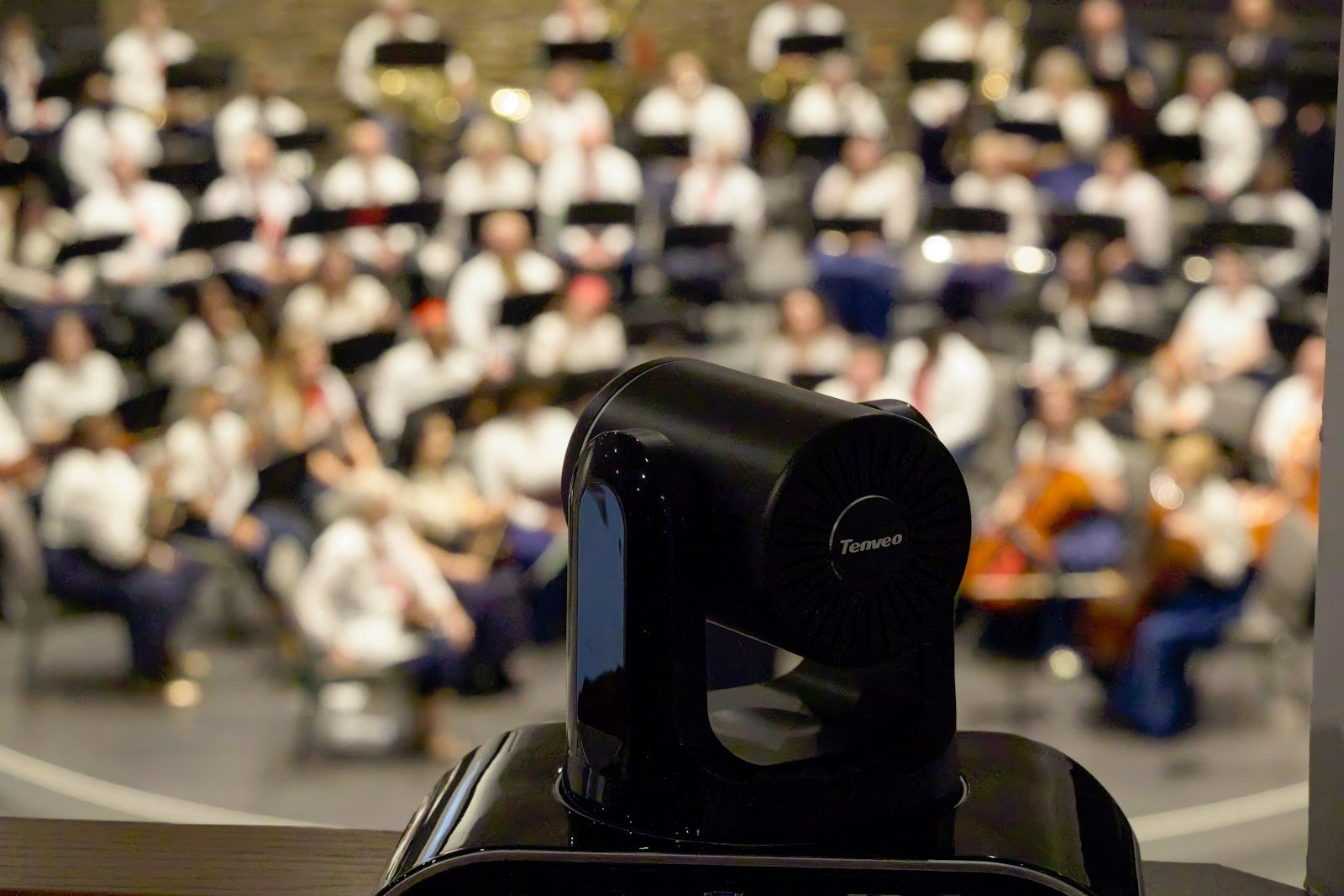
In a hybrid meeting, remote participants need to see who is speaking. A conference PTZ camera frames the whole table, then zooms to the speaker. It works with Zoom, Microsoft Teams and Google Meet over USB, so setup stays simple. The Logitech PTZ Pro 2, for example, delivers Full HD 1080p video with 10x lossless zoom and smooth mechanical pan and tilt for large meeting rooms and classrooms.
Auditoriums, events and houses of worship
Events need multiple angles without a large crew. Two or three PTZ cameras controlled from one desk cover the stage, the speaker and the audience. Their video feeds go to a switcher for live streaming or to large LED walls in the hall.
Live streaming and podcasts
Streamers and podcasters use a PTZ camera because one operator can run several angles, recall presets and record for hours without overheating. Read our podcast studio setup guide to see how PTZ cameras fit into a multi-camera show.
Key PTZ Camera Features to Compare
Resolution and frame rate
Full HD 1080p suits most meetings and classes. 4K gives sharper recordings, better digital cropping and future-proofing for large screens. Look for 30 fps for lectures and 60 fps for fast movement or sport.
Optical zoom
Choose zoom according to the distance between camera and subject. A 10x or 12x PTZ camera covers most classrooms and boardrooms. Auditoriums and large halls need 20x or more. Optical zoom keeps detail; digital zoom only enlarges pixels.
Field of view
A wide field of view captures more of the room in the default shot. Small rooms benefit from wider lenses; large rooms rely more on zoom.
Connectivity
- USB: Plug-and-play with laptops and conferencing apps.
- HDMI and SDI: Clean feeds for switchers, recorders and LED walls.
- IP, NDI, RTSP and RTMP: Network video and direct streaming without capture cards.
- PoE: Power and data over a single network cable, which simplifies ceiling installation.
Control options
Every model ships with an IR remote, but larger setups benefit from a joystick controller or software control over the network. Check support for VISCA, VISCA over IP or similar control protocols if you plan to integrate several cameras.
Auto-tracking and auto-framing
AI tracking follows a presenter automatically, which means nobody needs to operate the camera during a lecture. Auto-framing keeps a group of people neatly in the shot during meetings.
Low-light performance
Classrooms and halls are rarely lit like studios. A camera with a larger sensor and good noise reduction produces cleaner images in ordinary room lighting.
PTZ Camera Price in India
Prices vary with resolution, zoom, outputs and brand. Market listings in 2026 show classroom and conferencing PTZ camera models in India ranging roughly from ₹35,000 for entry-level Full HD units to around ₹75,000–₹80,000 for 4K and premium-brand models. Broadcast-grade PTZ cameras with SDI, NDI and long zoom ranges cost more.
| Segment | Typical specification | Indicative price range (INR) |
|---|---|---|
| Entry-level | 1080p, 10x zoom, USB/HDMI | ₹35,000 – ₹50,000 |
| Mid-range | 1080p or 4K, 12x zoom, USB/HDMI/IP | ₹50,000 – ₹80,000 |
| Professional | 4K, 20x+ zoom, SDI/NDI, PoE, tracking | Above ₹80,000 |
Budget also for mounts, cabling, a controller if you run several cameras, microphones and installation.
How to Set Up a PTZ Camera
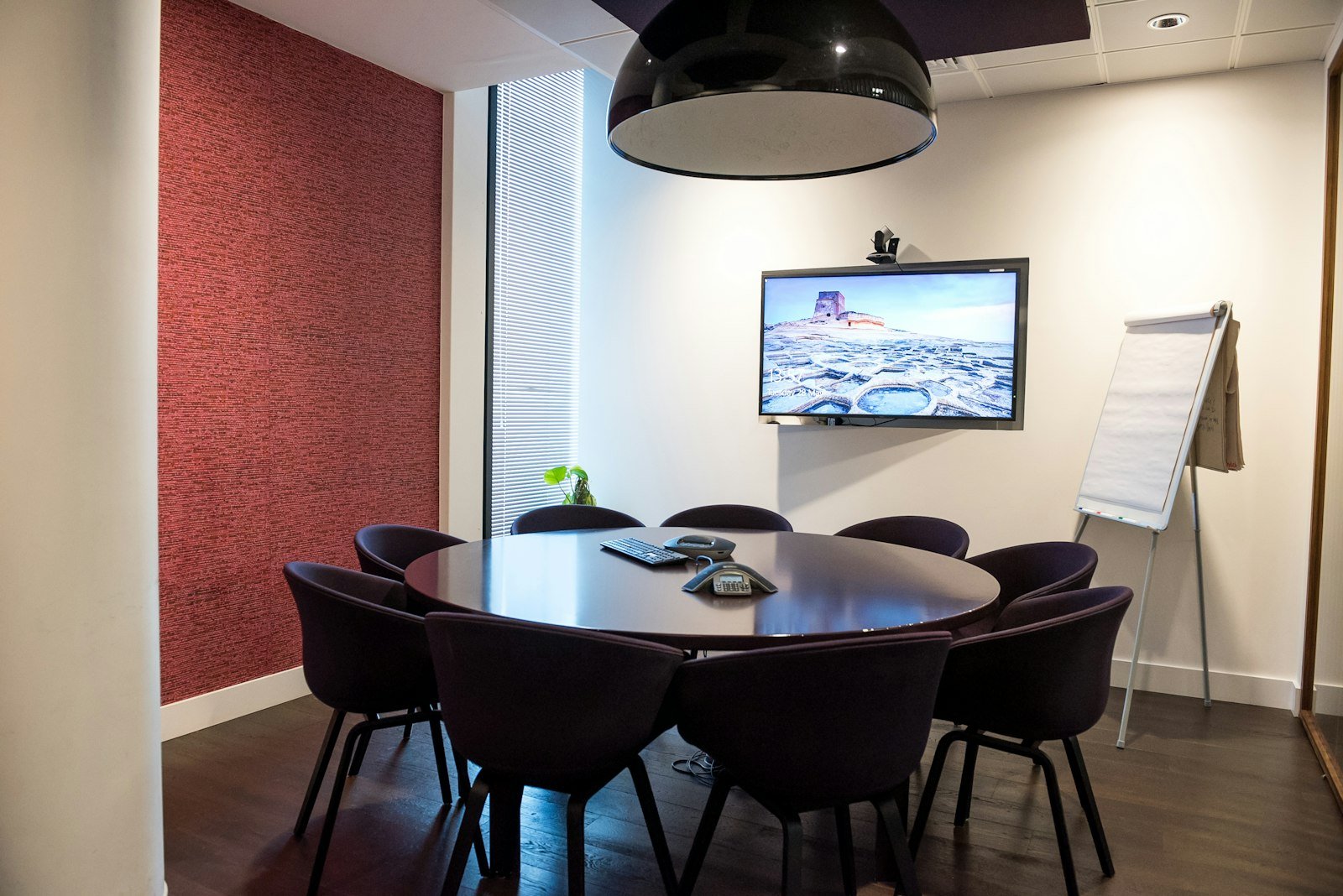
- Choose the position: Mount the camera at the back or side of the room at roughly eye level of a seated person, or slightly higher. Avoid pointing it towards windows.
- Mount securely: Use the wall or ceiling bracket. Ceiling mounts need image flip enabled in the settings.
- Connect video and power: Use USB for a simple conference setup, HDMI or SDI for switchers, or one PoE network cable where supported.
- Set presets: Save the key positions, such as wide room, presenter, board and audience.
- Configure audio: PTZ cameras rarely include strong microphones. Add ceiling, table or wireless microphones for clear sound.
- Test lighting: Check faces for shadows and backlight. Adjust room lights or add soft LED panels.
- Train users: Show teachers and staff how to switch presets and start recordings.
Recommended Setups by Room Size
Huddle rooms and small classrooms (up to 20 people)
Small rooms rarely need long zoom. A wide-angle conference camera or a compact 10x model mounted above the display covers everyone comfortably. Add a speakerphone or a table microphone, connect over USB and you are ready for hybrid meetings and tutoring sessions.
Standard classrooms and boardrooms (20–50 people)
Mount one 12x camera at the back of the room, facing the board or the head of the table. Save presets for the presenter, the whiteboard, the full room and any discussion area. Pair it with ceiling microphones or a wireless lapel microphone for the teacher, and connect the camera to the interactive panel or a room PC for recording and conferencing.
Seminar halls and auditoriums (50+ people)
Large spaces need 20x zoom or more and usually two cameras: one at the back for the stage and one at the side for the audience and questions. Use HDMI, SDI or NDI outputs into a video switcher, add a joystick controller and feed the output to a recorder, a streaming encoder or the hall’s LED wall.
Building a Multi-Camera Production
Several remotely controlled cameras let a single operator run a show that once needed a full crew. A typical multi-camera workflow looks like this:
- Cameras: Two to four units covering wide, presenter and audience angles.
- Controller: A joystick keyboard that selects each camera, moves it smoothly and recalls presets.
- Switcher: A hardware or software switcher that cuts between angles and adds graphics, slides and lower-thirds.
- Audio mixer: Combines microphones, music and remote guests into a clean mix.
- Recorder and encoder: Records the programme and streams it to YouTube, Facebook or a learning platform.
Network-based setups simplify cabling further. With PoE and NDI, one network cable carries power, video and control to each camera, and the switcher picks up every feed over the local network.
Lighting and Audio Tips for Better Video
- Light faces from the front: Soft LED panels near the camera position remove dark eye shadows.
- Avoid mixed light colours: Match the colour temperature of room lights and any added panels.
- Control backlight: Close blinds behind presenters or use exposure presets on the camera.
- Prioritise microphones: Wireless lapel microphones for presenters and ceiling or boundary microphones for discussions make the biggest difference to viewer experience.
- Monitor the output: A review monitor lets the presenter see exactly what remote viewers see.
Care and Maintenance
These cameras need little upkeep, but simple habits extend their life. Keep the lens clean with a soft lens cloth, avoid moving the camera head by hand, update firmware when the manufacturer releases improvements, and check mounts and cables every term. In dusty rooms, cover the camera when it is not in use for long periods. Store preset lists and network settings in a shared document so any staff member can restore them quickly.
Common PTZ Camera Mistakes
- Buying a security PTZ camera for teaching: CCTV PTZ cameras are built for surveillance, not smooth, broadcast-style video or conferencing apps.
- Too little zoom: A camera with low optical zoom at the back of a big hall cannot frame the speaker tightly.
- Ignoring audio: Viewers forgive average video but not poor sound.
- Placing the camera facing windows: Bright backlight turns presenters into silhouettes.
- Skipping presets: Without presets, operators make slow, shaky manual moves during live sessions.
PTZ Camera Checklist Before You Buy
- Room size and distance from camera to presenter
- Required resolution: 1080p or 4K
- Optical zoom: 10x, 12x or 20x
- Outputs needed: USB, HDMI, SDI, IP/NDI
- Power: adapter or PoE
- Auto-tracking and presets
- Compatibility with Zoom, Teams, Meet and your streaming software
- Warranty and local support
Frequently Asked Questions
What is a PTZ camera used for?
A PTZ camera records and streams video in classrooms, conference rooms, auditoriums, studios, events and houses of worship. Its remote pan, tilt and zoom let one person cover a whole room.
What is the full form of PTZ?
PTZ stands for pan, tilt and zoom, the three movements the camera performs under remote control.
Can a PTZ camera work with Zoom and Microsoft Teams?
Yes. Most conferencing PTZ cameras connect over USB and appear as a standard webcam in Zoom, Teams and Google Meet.
Is a 4K PTZ camera worth it?
4K is worth it for recorded courses, large displays and situations where you crop or zoom digitally. For everyday meetings, 1080p is usually enough.
Does a PTZ camera need an operator?
Not always. Presets and auto-tracking let teachers and presenters run a PTZ camera alone. Events with several cameras benefit from one operator at a controller.
Choose the Right PTZ Camera with Techsens India
Techsens India supplies PTZ cameras, business webcams, interactive panels and complete teaching studios to schools, institutes and businesses across India. We assess your room, recommend the right PTZ camera and accessories, install everything and train your team.
Explore the PTZ Pro 2 and our studio setup solutions, or contact us for a recommendation.